RU
RU LV
LV
Как заказать инвентаризационное дело онлайн

How to order an inventory file online
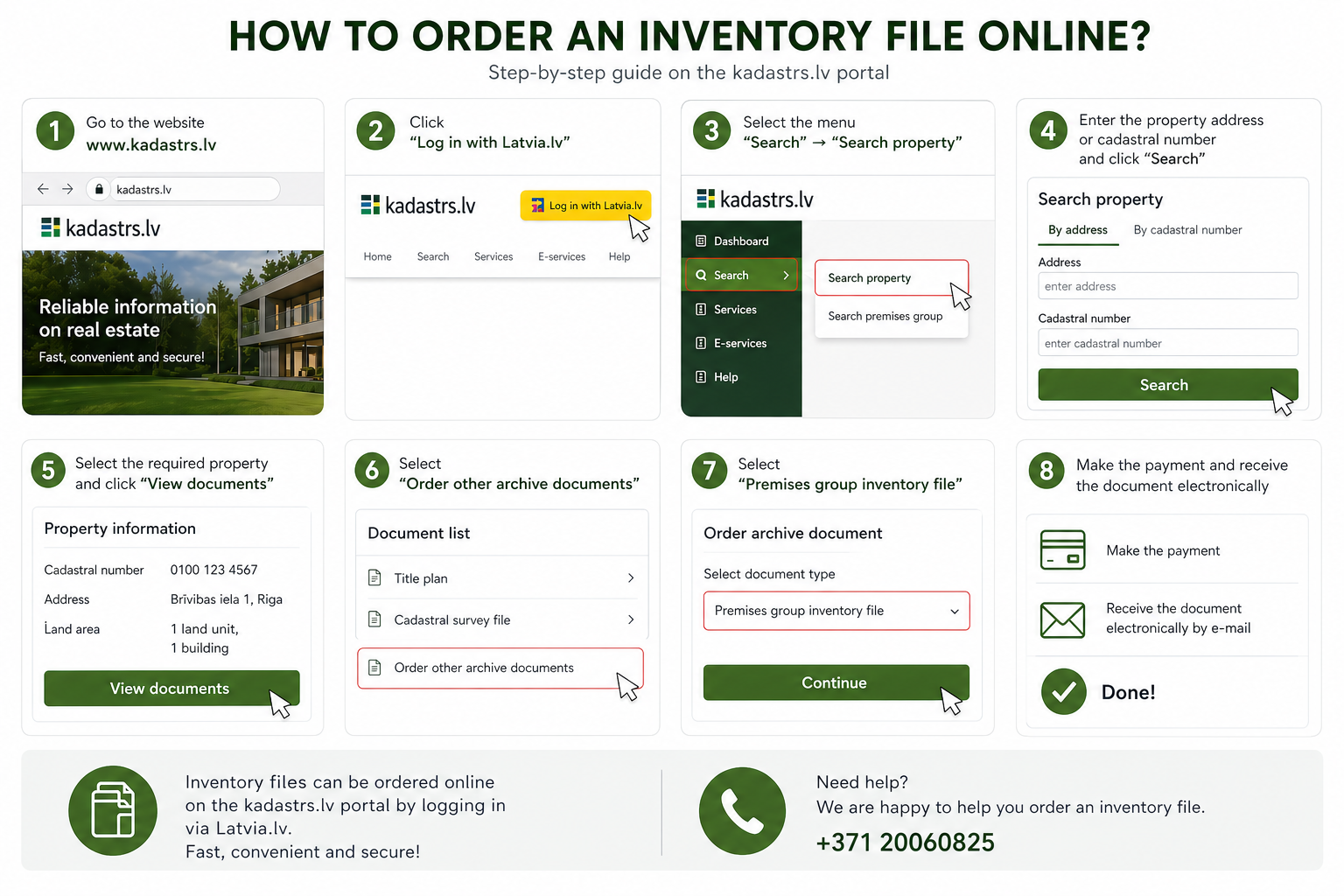
An inventory file (cadastral measurement documents of premises) can be ordered online through the kadastrs.lv portal. Below is a simple step-by-step guide.
1. Log in to the system
Go to the website:
https://www.kadastrs.lv
In the top right corner click “Pieslēgties ar Latvija.lv” and log in using your internet bank or eParaksts.
2. Find the property
After logging in, open the section “Meklēt”.
Then click one of the following buttons:
“Meklēt īpašumu” or “Meklēt telpu grupas”
3. Enter the address or cadastral number
Enter the property address or cadastral number in the search field and click “Meklēt”.
The system will display the found objects.
4. Open the document list
Next to the required property click:
“Skatīt dokumentus”
5. Order an archive document
If the required document is not available in the list, click:
“Pasūtīt citus arhīva dokumentus”
6. Select the inventory file
From the list choose:
“Telpu grupas kadastrālās uzmērīšanas lieta”
Then click “Tālāk”.
7. Choose the delivery method
Select the document delivery method. Usually the option chosen is:
“Elektroniski bez e-paraksta”
Then click “Tālāk”.
8. Confirm the request
Check the information and click:
“Apstiprināt”
After that the system will generate an invoice.
9. Pay for the order
After payment, the document is usually prepared within up to 10 working days.