RU
RU LV
LV
How to obtain up-to-date information about your property on the zemesgramata.lv website

How to obtain up-to-date information about your property on the zemesgramata.lv website – a section excerpt (the so-called “current Land Register”).
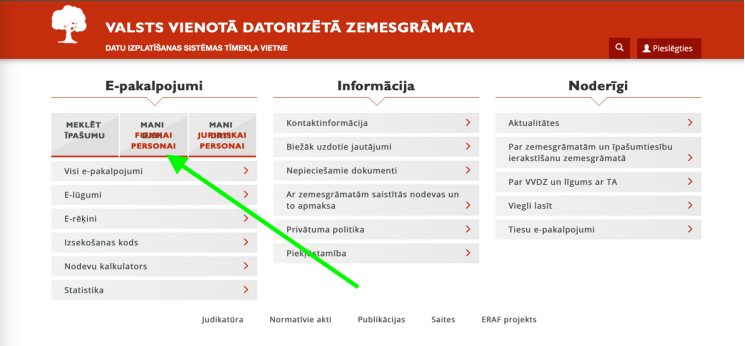
1. On the zemesgramata.lv website, click the "MANI DATI" button for an individual.
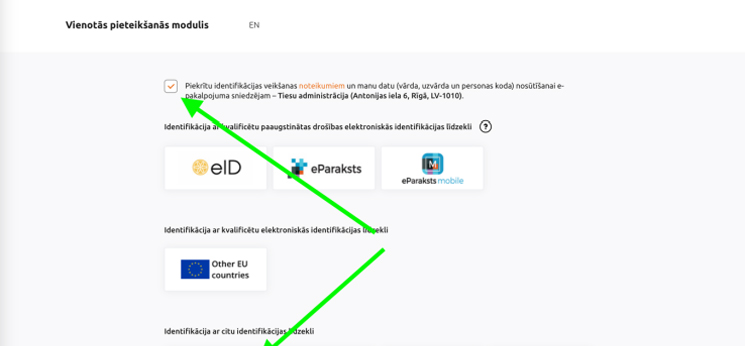
2. The authorization page will open. At the top, check that you agree to the connection terms, and log in using any method, for example, via Swedbank Internet Banking.
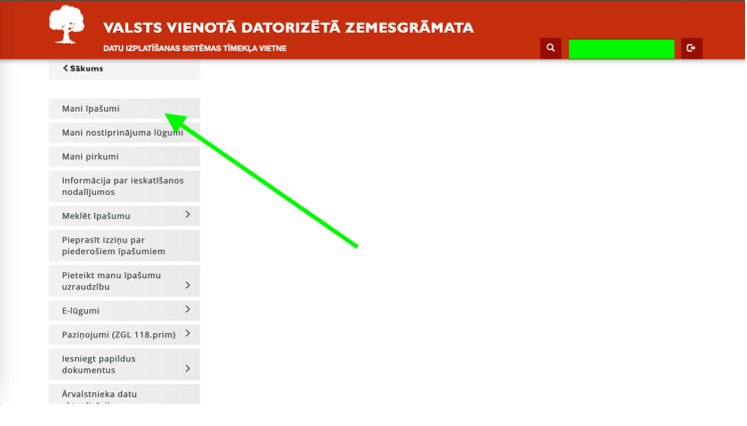
3. Go to your personal page: at the top, where your name is displayed in green, click on the line “Mani īpašumi” (“My Properties”).
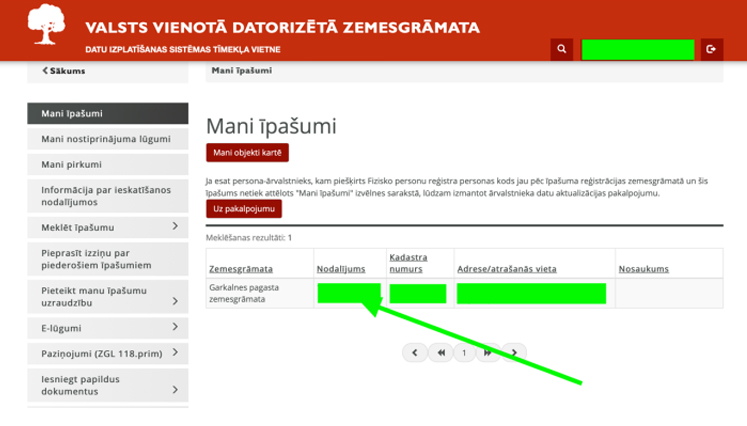
4. You will reach the page listing all the real estate you own. Select the desired property and click on the indicated spot in that row.
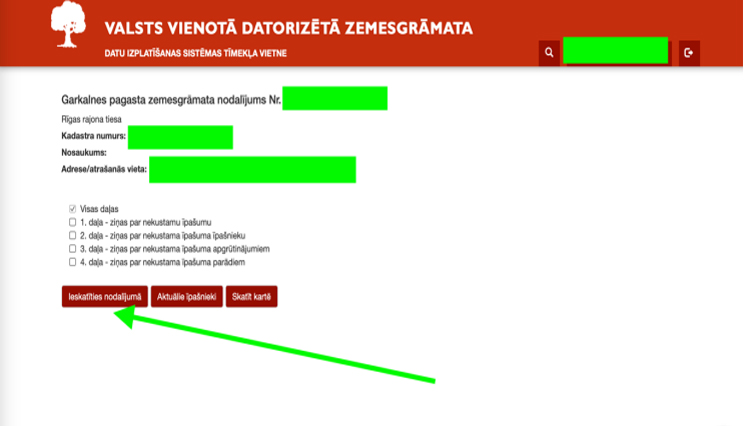
5. You will arrive at the selection page for this property. Do not check anything; simply click the button “Ieskatīties nodalījumā” (“View Section”).
6. A page (section) will open showing all records for this property from the moment it was registered in the Land Register. Now, click the button “Lejuplādēt nodalījuma norakstu” (“Download Section Excerpt”) at the top of the page.